

Contour Shaders
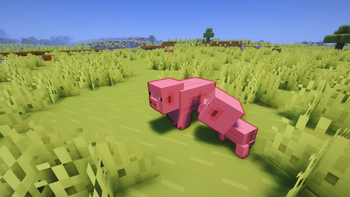
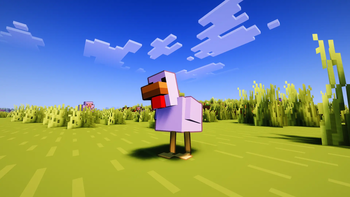
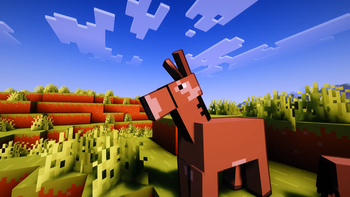
Contour Shaders brings the clean, vibrant outlines from official Minecraft trailers into the game.
What is Contour Shaders?
Contour Shaders introduces dynamic, color-coded entity outlines to every mob, player, and dropped item in your world.
The outline color matches the mob instead of using a plain black border. For example, Creepers get a green outline and Cows get a brown one, similar to the style used in official Minecraft artwork.
Key Features
- Clear Outlines: Mobs are easier to see without changing the original game style.
-
Crisp Scaling: Outlines stay clear and keep the right size at any render distance.
-
Trailer Aesthetic: Matches the style of official Minecraft Trailer.
-
Customizable: Tweak thickness, darkness, and distance falloff directly from the in-game shader options.
-
Rainbow Outline Mode: Cycles the outline through rainbow colors, with support for animated or fixed hues.
-
Complementary Base: Built on top of Complementary Shaders to retain standard lighting and water effects.
Requirements
- Minecraft Java Edition
- Iris Shaders (v1.6 or higher)
- A graphics card supporting OpenGL 3.3 or higher
⚙️ Settings You Can Tweak
| Setting | What it does |
|---|---|
| Outline Thickness | How thick the outline appears |
| Outline Darkness | How dark the outline color is |
| Base Distance | Distance where thickness starts shrinking |
| Outline on Hand | Toggle outline on your held item |
| Rainbow Mode | Enable rainbow coloring on the outline |
| Rainbow Animated | Toggle animated or fixed hue |
| Rainbow Fixed Color | Pick a specific hue when animation is off |
| Rainbow Speed | How fast the rainbow cycles |
| Glowing Outline | Enable glowing outlines with a bloom effect, or use the normal dark outline |