



Forget-me-not Shaders
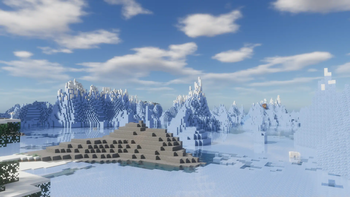
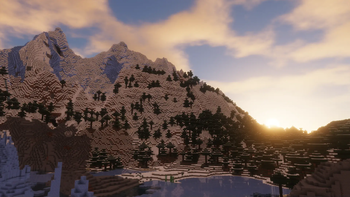
Forget-me-not is a semi-realistic pipeline shader for the Can-Pipe mod, with the goal of using a wide variety of visual effects for a diverse Minecraft experience.
Can-Pipe is a continuation of Canvas, a client-side renderer mod that uses shaders for advanced rendering. Its rendering system is entirely different from Optifine, Aperture, Iris, and Sodium; thus, it will not work with any of these mods.
See the how to use section for installation instructions.
notice
If you're a developer or mod hoster, Forget-me-not is licensed under the LGPL v3.0, so please make sure to read over its terms if you use any of Forget-me-not's original code or distribute it.
Additionally, the only places Forget-me-not is officially released to are the GitHub and Modrinth pages. If you're finding Forget-me-not on a mod rehosting site like 9minecraft, it's much safer to just download it from the official (ad-free!) pages instead.
how to use third-party shaders with canvas
-
Be sure you're on a Minecraft version with a recent release of Can-Pipe available (
21.1.Xas of this writing). Support is not guaranteed for versions that Can-Pipe doesn't actively support. You can check the supported Minecraft versions of the mod here. -
Get Can-Pipe through Modrinth. Can-Pipe should not be installed alongside Sodium, Iris, Aperture, OptiFine, or OptiFabric.
-
Download your preferred pipeline shaderpack. If you're looking for an alternative to Forget-me-not, try out Lumi Lights Plus by spiralhalo.
-
Launch your game, put your downloaded
.zipfile into yourresourcepacksfolder and activate the resource pack. (There's no need to extract it!) -
Navigate to
Options/Video Settings/Quality & Performance/Pipelineand keep clicking until the pipeline you want to use is selected.
Note: You can also get in-development versions of Forget-me-not on ! The easiest way is to the repository into your resource pack folder directly, but you can also download the repository as a file (in which case you'll have to extract it).